From the seller to your doorstep
Hoobuy handles the purchase and warehouse stages between a Chinese seller and your international parcel. Here is how to keep the whole order understandable.
Finds and product selectionQC photos and review promptsFit and return decisionsHelp Center and FAQ
What is Hoobuy?
You select the product and its options. Hoobuy purchases from the seller, receives the item at its China warehouse and provides the available order and inspection information. Once you are ready, you choose the packing and an international shipping route.
This can help when the seller’s checkout or delivery is not workable for you, or when you want several purchases received in one place. It also means you need to plan time and money for both the item and the parcel.
Why choose Hoobuy?
The broad job of buying, receiving and forwarding is shared by many agents. Hoobuy’s source-link search and User Center Warehouse area provide the purchase and received-item records used in this guide. The separate route estimator asks for destination, weight and dimensions. Those controls suit a shopper who wants to review the arrival before choosing a parcel.
Choose a different agent if the route cannot take your item, a necessary inspection service is unavailable or the return terms do not work for you. If direct delivery from the seller already meets your needs, compare that complete price too.
How to choose a shopping agent
- Can the exact item category and your destination use a supported route?
- Are service charges, payment options and currency conversion clear?
- Can you request the views or measurements that matter to your decision?
- Are return deadlines, storage conditions and parcel-claim terms understandable?
- Can you locate the operator’s business details and a working support channel?
Other shopping agents: comparing the same basket
You can also compare services such as Superbuy, CSSBuy and Sugargoo. Use the same product, destination, parcel dimensions and optional services in each comparison. Read the full cost and the support or return process, rather than choosing from a headline fee alone.
How to use Hoobuy
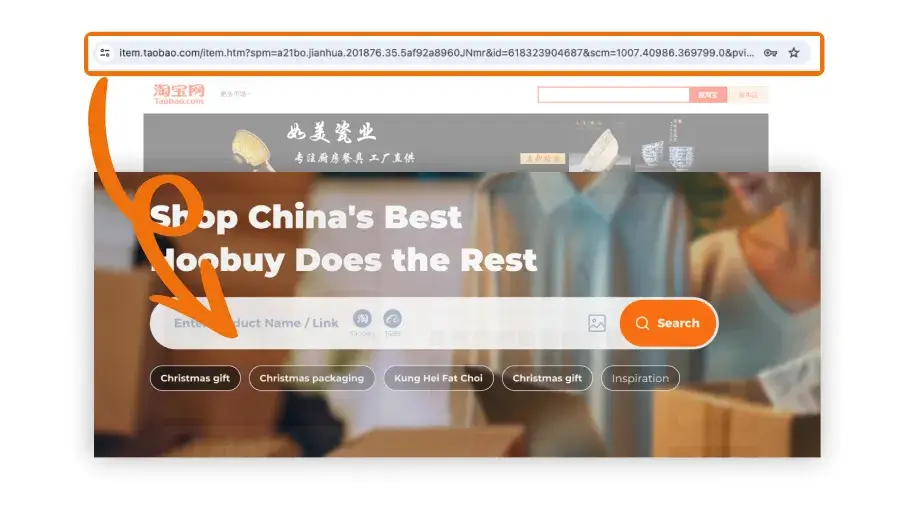
- Make the product request. Paste the seller link into Hoobuy product search, compare the imported listing and select the intended option.
- Pay for the item. Read the product, domestic delivery and other displayed purchase charges. Save the order reference.
- Review the arrival. After warehouse receipt, open the Warehouse record in User Center. Match the item and photos with your saved size, colour and quantity.
- Ask before packing. Request a missing angle or measurement. If the item is wrong or damaged, ask about return or exchange eligibility, deadlines and costs while it remains in China.
- Send the parcel. Select the ready items, packing and a suitable route. Review the full parcel quote and declaration information, then pay for international delivery.
- Follow it home. Keep the parcel and carrier references, follow delivery instructions and check the contents on arrival. Save packaging and photos when reporting a problem.
Bring the product link into your account
- Open the seller page and save the selected size, colour, quantity and any measurement question.
- Sign in to Hoobuy and paste the source URL into product search. Compare the imported item and options with the original.
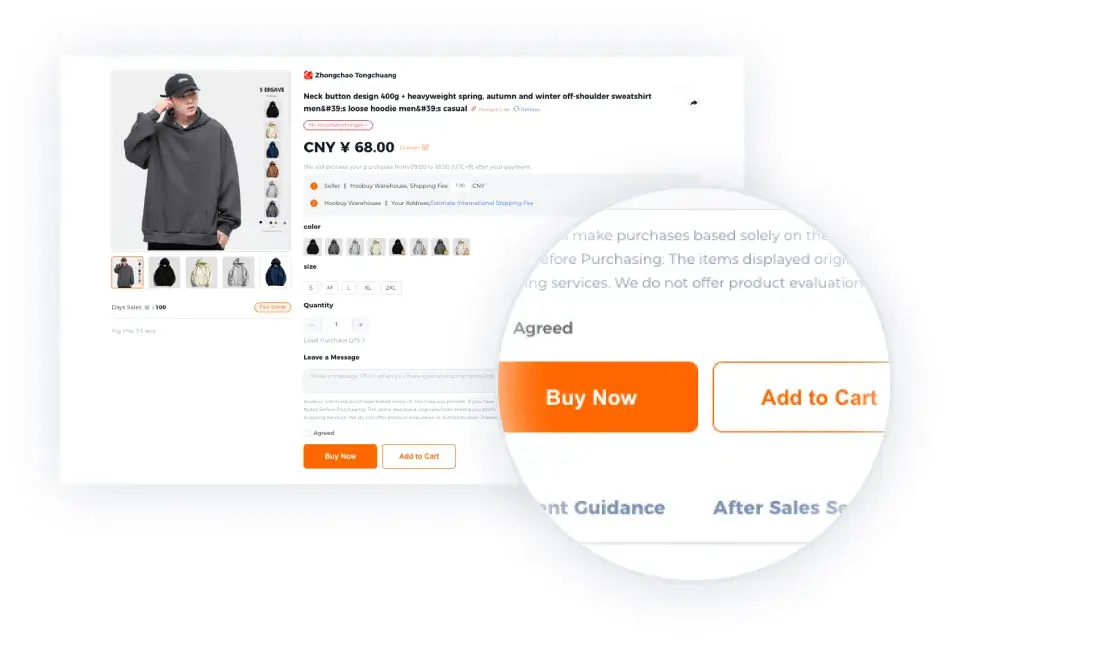
- Choose the intended variant and read the purchase total. Clarify a missing or different option before payment.
- Pay through the account and keep the order reference. Use its enquiry when the agent asks for details or the seller cannot supply the item.
Hoobuy fees and two payment stages
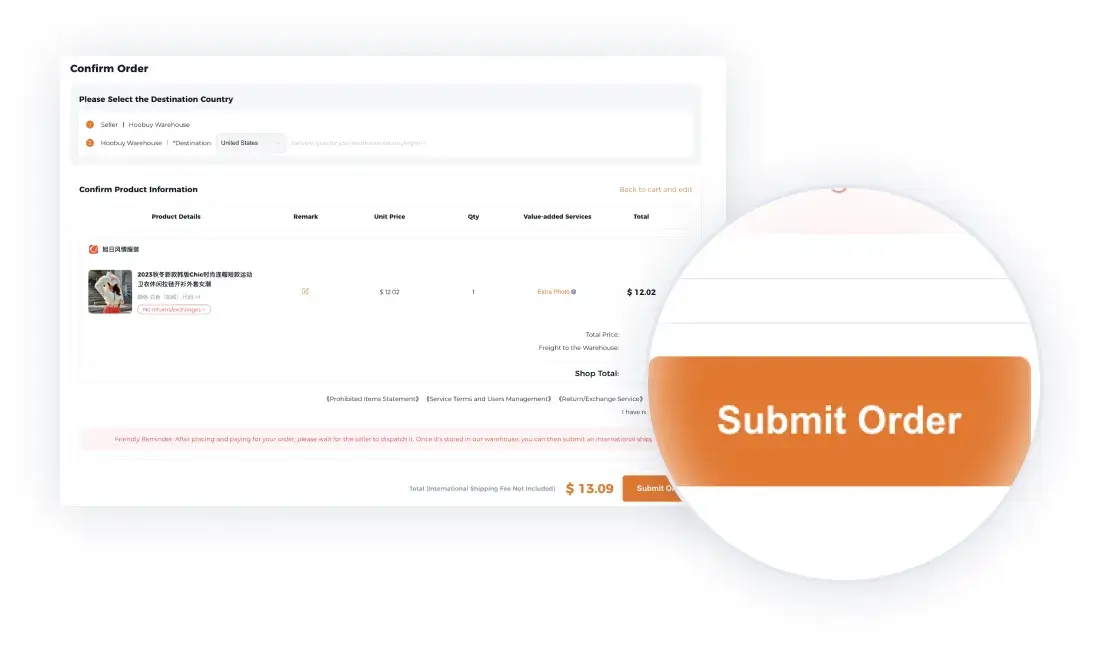
The first stage buys the goods. Read the item price, seller-to-warehouse delivery and other purchase charges shown at checkout. Keep the final payable total with the order.
The second stage sends the parcel. After warehouse receipt, packing and route choices determine the international quote. Extra photos, measurements or packing may be separate optional services. Check what your quote includes and any destination charges outside it.
Currency conversion and payment charges
The yuan price on a seller page is not necessarily the amount your payment account will lose. Review the checkout currency, conversion and processing charges before confirming. Use the actual charged amount in your budget; another person’s rate is only a record of their payment.
Check the received item before packing
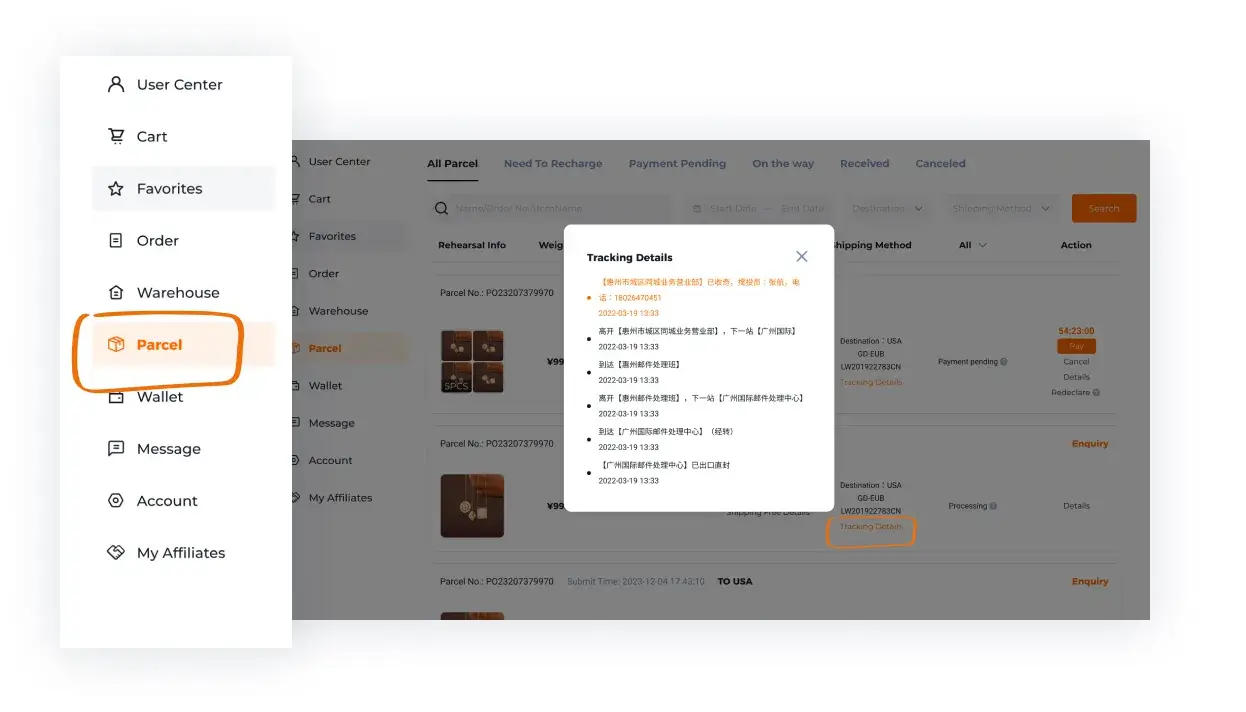
Open the Warehouse area in User Center after the item is received. Compare the quantity, option and visible label with your saved order. Review the whole item and then the specific details you care about.
Request a missing angle or measurement with clear endpoints. For a wrong or damaged item, ask about return or exchange eligibility, costs and the deadline before submitting a parcel. Resolve the question while the seller-to-warehouse stage can still be handled.
International shipping: packing and routes
Select the ready items you want to send together. Think about bulky boxes, fragile parts and the category restrictions of each line. Keep packaging that protects the item; ask about a smaller pack only when it still suits the contents.
Check destination, recorded weight, dimensions, declared information and selected extras. Compare available routes by total quote, transit range, tracking and compensation conditions. A line charging by volume can treat a large light box differently from a compact parcel.
Tracking and receiving your parcel
After dispatch, save both the parcel reference and carrier number. Read the latest tracking scan and its date. Ask Hoobuy about a stalled international leg using those details; follow the local carrier when it requests an address correction or collection.
On delivery, compare the contents with your order list. Keep the packaging and clear photographs if an item is missing or damaged, and check the claim procedure promptly.
Prepare a useful support request